
For Professional Users:
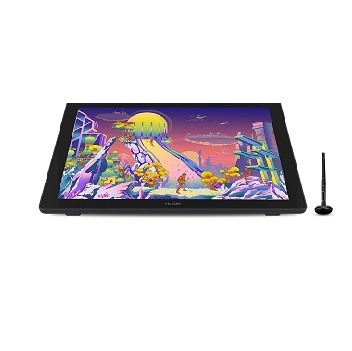
- Huion tablets are well compatible with strong color demand users, drawing tablet advanced users, studio staff, personal creator (intermediate), 3D modeler, Illustrator, also work with office software. It is ideal for online teaching, remote work, web conference, presentation, and so on.
Important Notices:
1. Kindly note that Kamvas 24 Plus is NOT a standalone product. It needs to be connected to a computer/laptop to work.
2. Connection Tips:
- The Kamvas 24 Plus is coming with 2 USB-C ports, which support both a 3-in-1 USB-C connection(HDMI Signal) and a full-featured Type-C connection (DP Signal).
1) For the 3-in-1 USB-C cable,
- your computer needs to have HDMI and USB ports available for the connection, if not, you need an adapter to convert for the connection. Please be assured the USB cable & HDMI cable securely plug into your computer.
- It is only coming with a US power adapter (suit for 110V-240V). If you need EU or other power adapters, please ask us for further information.
2) For the full-featured Type-C cable,
- It is included in the package content.
- supports Type-C to Type-C connection and no need to have an HDMI port or HDMI adapter.
- An extra power supply is needed. Note: due to the high power consumption of large-size screens, it can not meet the power supply-demand by only relying on the Full-feature USB-C to USB-C cable to connect the computer, so it is necessary to connect the three in one cable + adapter for the power supply at the same time.
- The type-c port of your PC or Android devices need to supports USB3.1 GEN1 data transfer protocol and DP1.2
3) Connection with Android devices
- A full-featured Type-C cable is needed if you want to connect Kamvas 24 Plus with Android devices.
- The extra power supply is needed underconnectivity with Android devices.
- Please note that not all Android phones support full-screen mode. Full-screen mode is only available for Android devices which support desktop operating systems for PC mode or DEX mode.
List of Compatible Android Devices:
- Samsung Galaxy Note 8/9/10/10+/10+5G/20/20 Ultra 5G, Samsung Galaxy S8/8+/9/9+/10/10+/S10e, Samsung Tab S4/S5e/S6/S7/S7+, Galaxy S20 5G/S20+ 5G/S20 Ultra 5G, Galaxy Galaxy S21 5G/S21+ 5G/S21 Ultra 5G, Galaxy Fold/Fold 2, A90 5G, Smartisan Nut R1/R2/Pro 2S/Pro 3, Huawei P20/P20Pro/P20RS/P30/P30Pro/P40/P40 Pro/P40 Pro+/P50, Huawei Mate Serials, HONOR Note 10/V20/30Pro+
3. Driver Installation Tips:
- Huion driver will be regularly updated, so please go to Huion official web to download the newest driver, and install it on your computer.
- Before installation, please uninstall Other Brand’s Driver and reboot your computer. And please close all drawing programs when installing the driver.
- For Mac Mojave (10.14) Users, please Add the “TabletDriverAgent” into the whitelist first after installing the driver on your computer.
- Please be sure that the Huion driver is compatible with the newest Mac OS 10.15 Catalina.
4. Huion PenTech 3.0
- adopts Capacitive Pressure Sensor and stable pen nibs to provide the real pen-writing feeling.
Why Choose Dolphin Computers for HUION Kamvas 24 Pro Graphics Tablet (with screen) Online?
If you are interested to buy a HUION Kamvas 24 Pro Graphics Tablet with a screen online in India from Dolphin Computers, you will be able to avail yourself of a whole host of different benefits. Dolphin Computers provides its customers with straightforward and easy payment methods and an EMI option to the customer for easy buy product that allows them to buy HUION Kamvas 24 Pro Graphics Tablet without any hassle. After all, at Dolphin Computers, our goal is to provide users with a highly flexible way to access products.
For Professional Users:
- Huion tablets are well compatible with strong color demand users, drawing tablet advanced users, studio staff, personal creator (intermediate), 3D modeler, Illustrator, also work with office software. It is ideal for online teaching, remote work, web conference, presentation, and so on.
Important Notices:
1. Kindly note that Kamvas 24 Plus is NOT a standalone product. It needs to be connected to a computer/laptop to work.
2. Connection Tips:
- The Kamvas 24 Plus is coming with 2 USB-C ports, which support both a 3-in-1 USB-C connection(HDMI Signal) and a full-featured Type-C connection (DP Signal).
1) For the 3-in-1 USB-C cable,
- your computer needs to have HDMI and USB ports available for the connection, if not, you need an adapter to convert for the connection. Please be assured the USB cable & HDMI cable securely plug into your computer.
- It is only coming with a US power adapter (suit for 110V-240V). If you need EU or other power adapters, please ask us for further information.
2) For the full-featured Type-C cable,
- It is included in the package content.
- supports Type-C to Type-C connection and no need to have an HDMI port or HDMI adapter.
- An extra power supply is needed. Note: due to the high power consumption of large-size screens, it can not meet the power supply-demand by only relying on the Full-feature USB-C to USB-C cable to connect the computer, so it is necessary to connect the three in one cable + adapter for the power supply at the same time.
- The type-c port of your PC or Android devices need to supports USB3.1 GEN1 data transfer protocol and DP1.2
3) Connection with Android devices
- A full-featured Type-C cable is needed if you want to connect Kamvas 24 Plus with Android devices.
- The extra power supply is needed underconnectivity with Android devices.
- Please note that not all Android phones support full-screen mode. Full-screen mode is only available for Android devices which support desktop operating systems for PC mode or DEX mode.
List of Compatible Android Devices:
- Samsung Galaxy Note 8/9/10/10+/10+5G/20/20 Ultra 5G, Samsung Galaxy S8/8+/9/9+/10/10+/S10e, Samsung Tab S4/S5e/S6/S7/S7+, Galaxy S20 5G/S20+ 5G/S20 Ultra 5G, Galaxy Galaxy S21 5G/S21+ 5G/S21 Ultra 5G, Galaxy Fold/Fold 2, A90 5G, Smartisan Nut R1/R2/Pro 2S/Pro 3, Huawei P20/P20Pro/P20RS/P30/P30Pro/P40/P40 Pro/P40 Pro+/P50, Huawei Mate Serials, HONOR Note 10/V20/30Pro+
3. Driver Installation Tips:
- Huion driver will be regularly updated, so please go to Huion official web to download the newest driver, and install it on your computer.
- Before installation, please uninstall Other Brand’s Driver and reboot your computer. And please close all drawing programs when installing the driver.
- For Mac Mojave (10.14) Users, please Add the “TabletDriverAgent” into the whitelist first after installing the driver on your computer.
- Please be sure that the Huion driver is compatible with the newest Mac OS 10.15 Catalina.
4. Huion PenTech 3.0
- adopts Capacitive Pressure Sensor and stable pen nibs to provide the real pen-writing feeling.
Why Choose Dolphin Computers for HUION Kamvas 24 Pro Graphics Tablet (with screen) Online?
If you are interested to buy a HUION Kamvas 24 Pro Graphics Tablet with a screen online in India from Dolphin Computers, you will be able to avail yourself of a whole host of different benefits. Dolphin Computers provides its customers with straightforward and easy payment methods and an EMI option to the customer for easy buy product that allows them to buy HUION Kamvas 24 Pro Graphics Tablet without any hassle. After all, at Dolphin Computers, our goal is to provide users with a highly flexible way to access products.
Reviews
There are no reviews yet.
Related products
-
Graphic Tablets
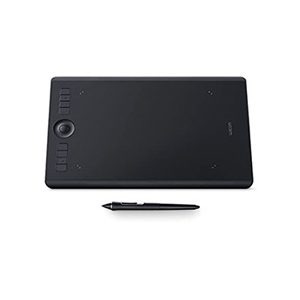
Wacom Intuos Pro Large, (PTH-860/K0-CX) Black
Original price was: ₹37,499.00.₹35,990.00Current price is: ₹35,990.00. (Inclusive of GST) -
Graphic Tablets
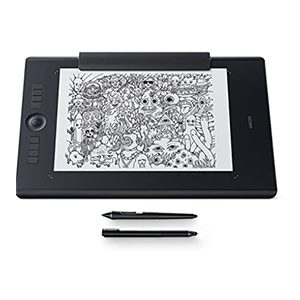
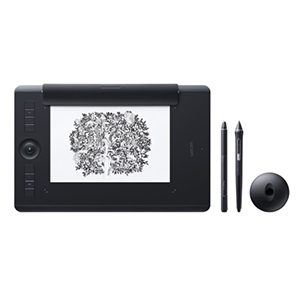
Wacom Intuos Pro Paper Edition Large (PTH-860/K1-CX)
Original price was: ₹40,399.00.₹38,490.00Current price is: ₹38,490.00. (Inclusive of GST) -
Graphic Tablets
Wacom Intuos Pro Paper Edition (PTH-660/K1-CX)
Original price was: ₹33,299.00.₹31,490.00Current price is: ₹31,490.00. (Inclusive of GST) -
Graphic Tablets
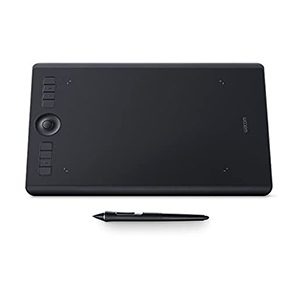
Wacom Intuos Pro Medium, (PTH-660/K0-CX) Black
Original price was: ₹30,699.00.₹29,490.00Current price is: ₹29,490.00. (Inclusive of GST)
Reviews
There are no reviews yet.